Stop Clicking. Start Pouring.
Why Concrete Contractors are Switching to DLCM Point Layout
When it comes to field layout, precision and speed are everything. While tools like Autodesk Point Layout (APL) and Trimble Point Layout are excellent general-purpose plugins for the broader AEC industry, they often force concrete and foundation contractors into tedious manual workflows.
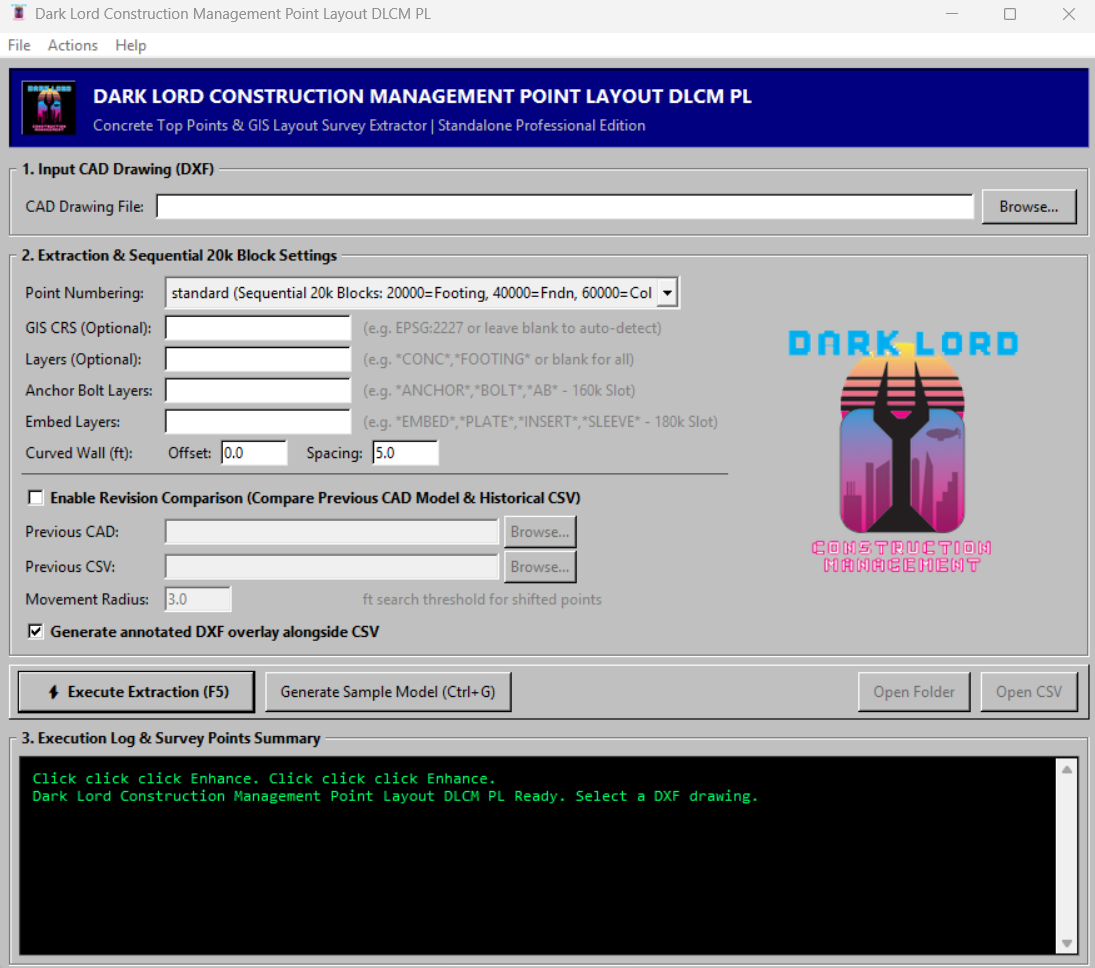
Enter DLCM Point Layout (DLCM PL)—a purpose-built, standalone point extraction engine engineered specifically for concrete structures. If you are tired of clicking individual families, mapping complex Revit rules, or paying for heavy BIM licenses just to export layout points, DLCM PL is built for you.
Here is how DLCM PL stacks up against the competition:
The Industry Heavyweights: Autodesk & Trimble
Autodesk Point Layout (APL): A powerful, broad-spectrum plugin for AutoCAD, Navisworks, and Revit. It is great for coordinating MEP, structural, and architectural points. However, it requires an active, expensive host-software license, and placing points often requires tedious manual selection, family-by-family mapping, or clicking through endless dialog boxes.
Trimble Point Layout: Highly integrated with Trimble's robotic total stations and GNSS hardware. Like APL, it operates inside heavy CAD/BIM authoring tools. While it excels at hardware integration, it remains a generalist tool that treats a concrete stepped foundation the same as an HVAC duct—requiring manual setup to get the exact top-of-concrete corners you need.
The DLCM PL Advantage: Automated, Concrete-Specific Extraction
DLCM PL isn’t a plugin; it’s a lightweight, blazing-fast extraction engine that reads DXF drawings directly. Instead of asking you where to put points, its geometry engine automatically analyzes your solid models and extracts exactly what a concrete surveyor needs.
Key Differentiators:
Zero-Click Automation: Drop in a 3D DXF of your footings, foundation walls, slabs, or columns. DLCM PL automatically finds and extracts top surface corners (both interior concave and exterior convex) and top-center points for circular columns. No clicking required.
Built for Stepped Foundations: Unlike generic layout tools, DLCM PL natively understands foundation steps, automatically generating both the top and bottom transition layout points to ensure flawless formwork.
Intelligent Change Tracking Built-in: Revisions happen. With our native ChangeTracker technology, simply feed DLCM PL your new model and your old points. It will automatically detect what moved, what was deleted, and what is new, preventing costly field errors caused by outdated CSVs.
Smart Deduplication & GIS: DLCM PL automatically deduplicates overlapping spatial points and applies local-to-global CRS (Coordinate Reference System) transformations, delivering a clean, field-ready CSV and an annotated DXF in seconds.
No Heavy BIM Licenses Required: Because DLCM PL processes standard DXF files and operates as a standalone application, you don't need to purchase or boot up an expensive Revit or Navisworks seat on your field laptop just to extract a layout file.
The Bottom Line: Autodesk and Trimble built point layout tools for everybody. DLCM built a point layout engine for concrete.
Stop spending hours manually placing points in your BIM model. Automate your layout, track your revisions intelligently, and get field-ready coordinates in seconds with DLCM PL.